Denne artikel mangler, er forældet eller endnu ikke gennemgået på dansk. Den autoritative engelske kilde vises.
Administration
Add users and configure access
Assign organization roles and optional table-level edit or review allowlists.
Who can perform the task
Organization administrators.
Before you begin
Decide the least-privilege role and whether edit or review access should later be restricted to specific table codes. Confirm the invitee's individual work email through an approved channel. Check the organization billing plan has an available user seat. Each unexpired pending invitation reserves one seat.
Quick path
- Open the organization access settings.
- Invite the user with the least-privilege organization role they need.
- Add table-level restrictions when their work must be narrower than the role.
- Send the invitation and verify the intended email and expiry.
- After acceptance, confirm the user can see only the authorized organization, filings, and tables.
Detailed guidance
- Open any filing in the organization and expand Review and audit.
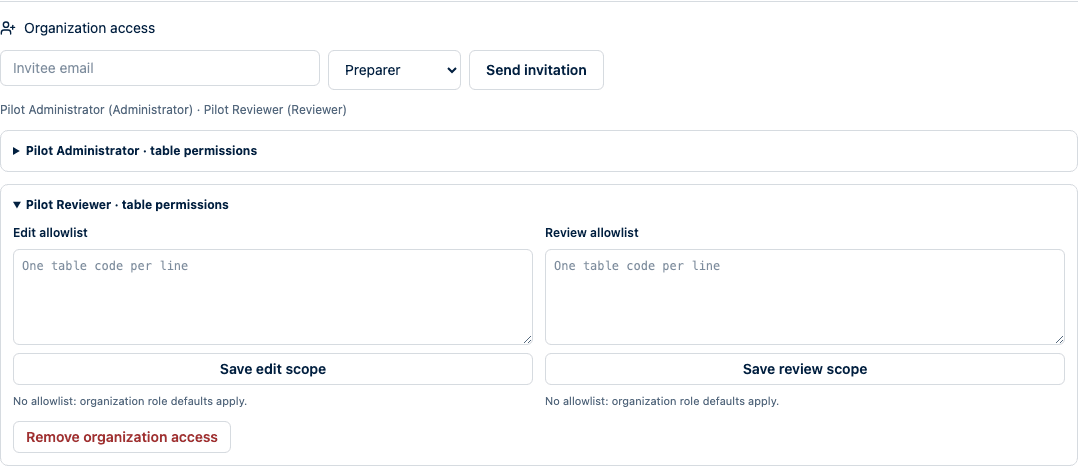
- Enter the invitee email, choose a role, and select Send invitation.
- Confirm the invitation appears under Pending invitations with its seven-day expiry. Revoke it immediately if the email or role is wrong.
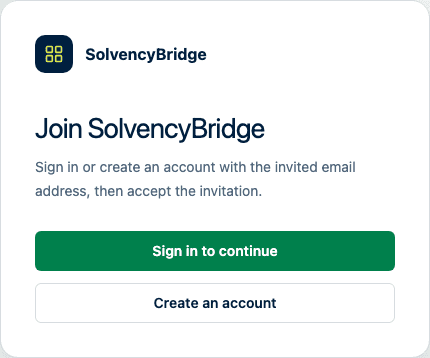
- The invitee opens the single-use link, signs in or creates an account with the invited email address, and selects Accept invitation.
- For a preparer or reviewer, optionally configure table-level edit or review access after acceptance.
- Ask the user to verify access in a separate session.
- When a person leaves the team, expand their table permissions, select Remove organization access, and confirm. Their organization access ends immediately. Your own access and the final administrator cannot be removed through this control.
Expected result
After acceptance, the member appears with the intended role. The invitation can be accepted only once and disappears from the pending list. An empty allowlist means organization-role defaults apply; a populated allowlist restricts the capability to the listed tables.