Features
Explore the SolvencyBridge reporting workspace
Import your data, prepare reporting templates, investigate validation findings, and review changes before exporting an approved version. Explore the workflow, the supported outputs, and the decisions that stay with your team.
Screenshots show the actual product with synthetic data. They do not show customer results or demonstrate regulatory approval.
Start with the data you already have
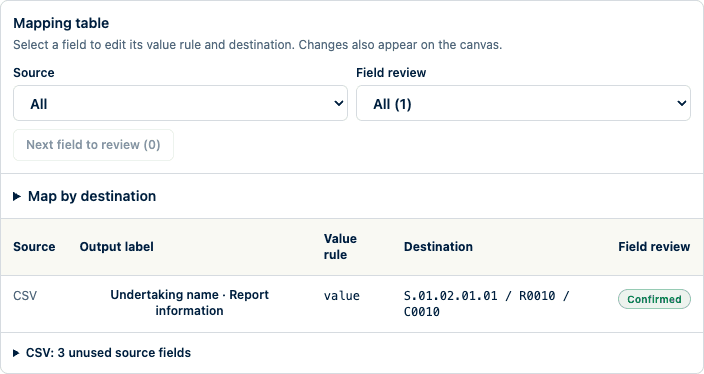
Import Excel (.xlsx), CSV, and ODS sources, plus pinned EIOPA XBRL and supported national XBRL inputs. Start with a workbook your team typically uses. Choose the worksheet and source table, then map its columns to reporting fields. Mappings can combine source values, fixed values, calculations, and lookups. Check sample results as you edit a rule, then test it against the whole file before submitting that mapping revision for approval.
From source data to a reviewed import
Here, the undertaking name is mapped to its reporting field. Check the sample value, test the mapping, then review the proposed change in the import preview. Neither source analysis nor the preview changes the filing. An authorized preparer reviews the result and confirms the import.
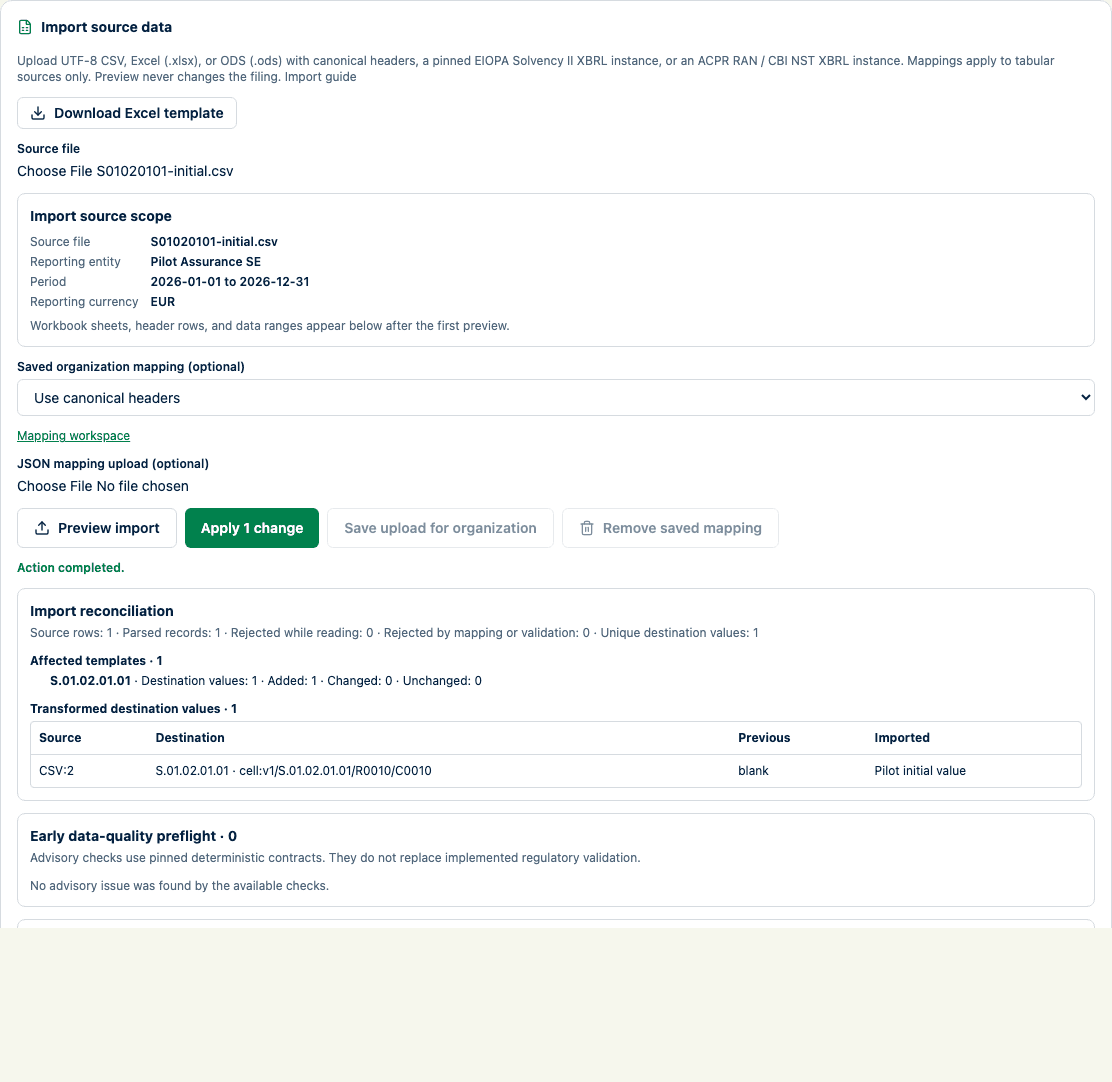
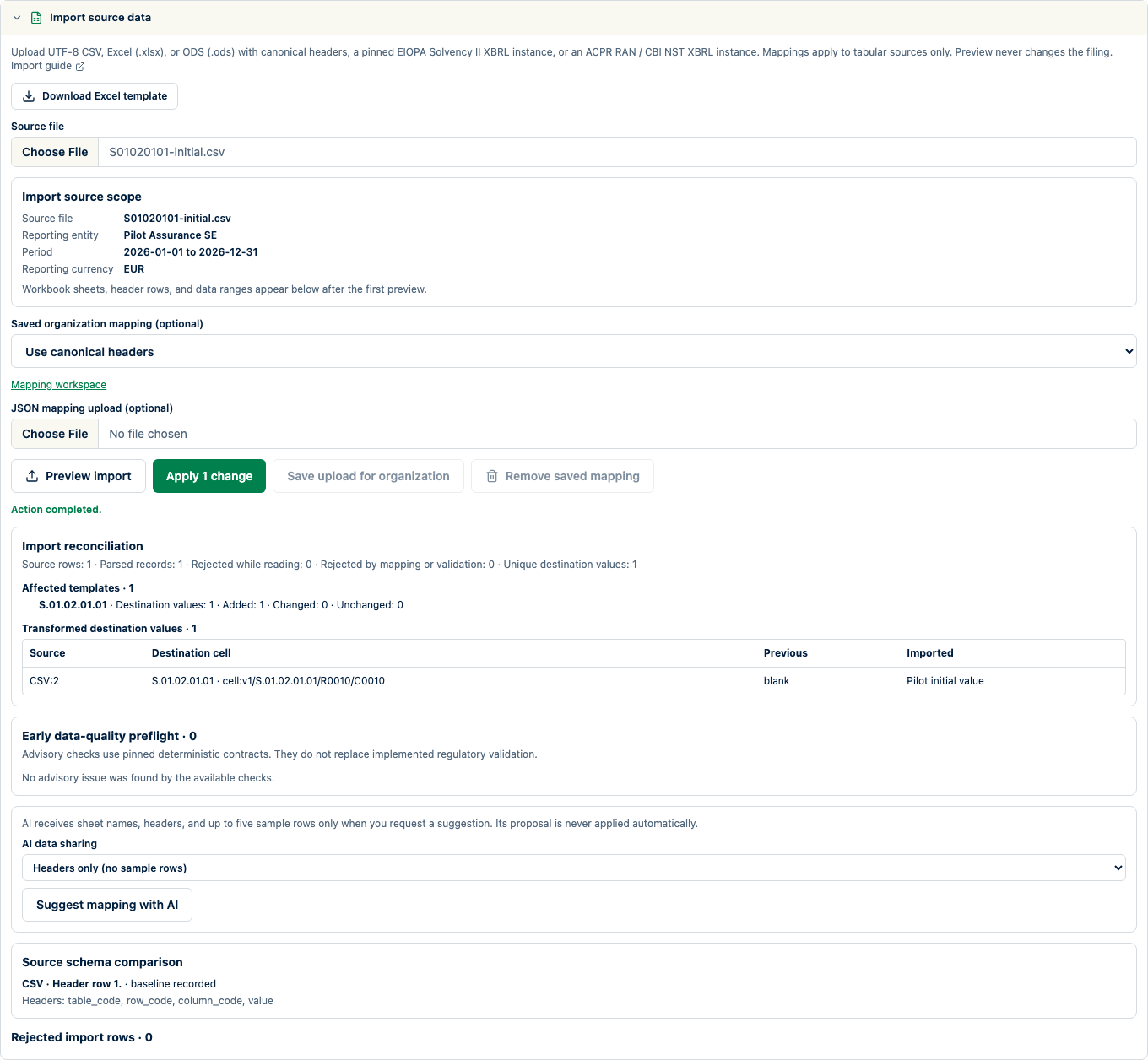
Need to explain an imported number? Trace it back to its location in the source file, the mapping revision, and any transformations. Your team can see how the value reached the filing without searching through emails and different copies of the workbook.
Prepare each filing with its scope in view
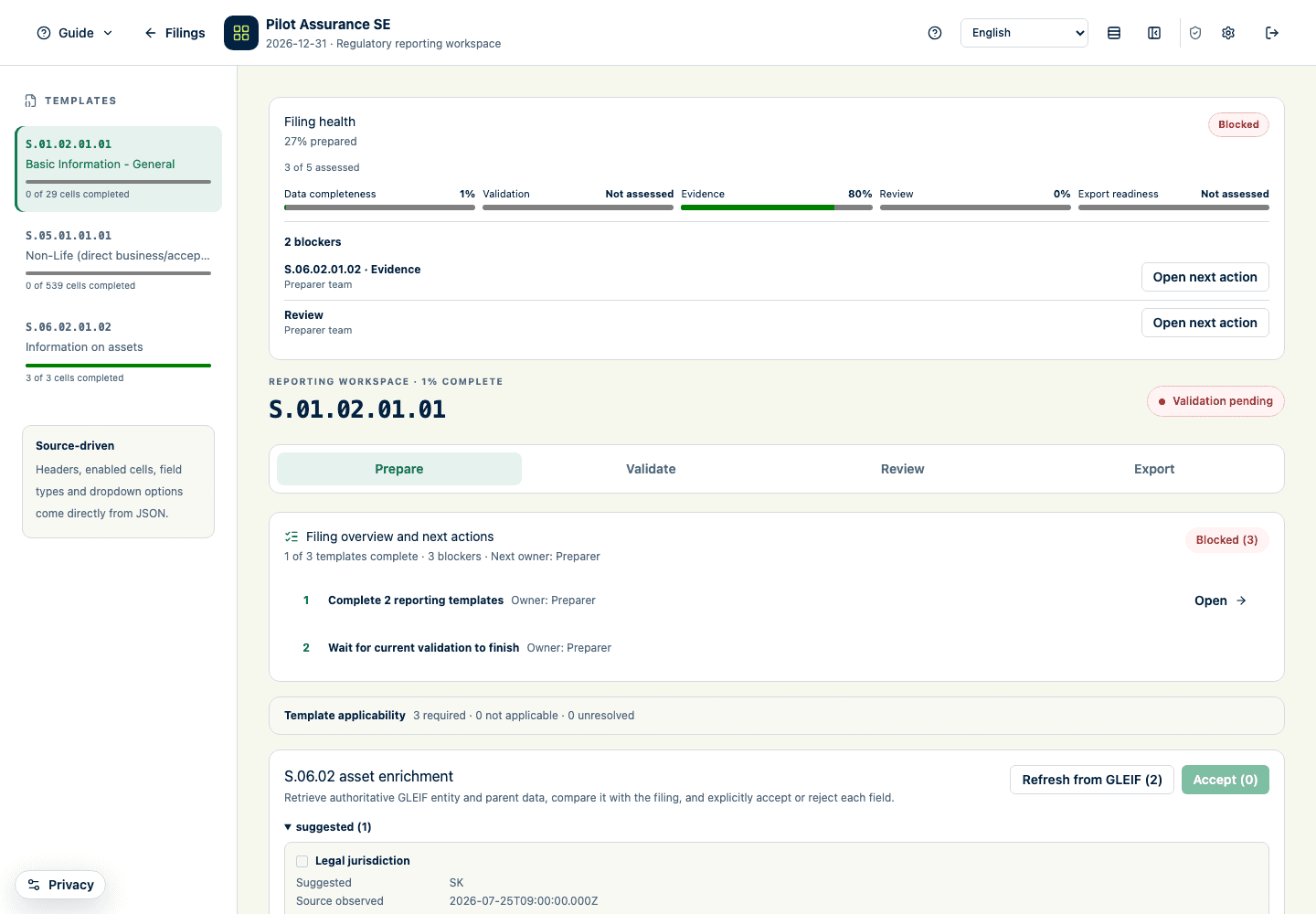
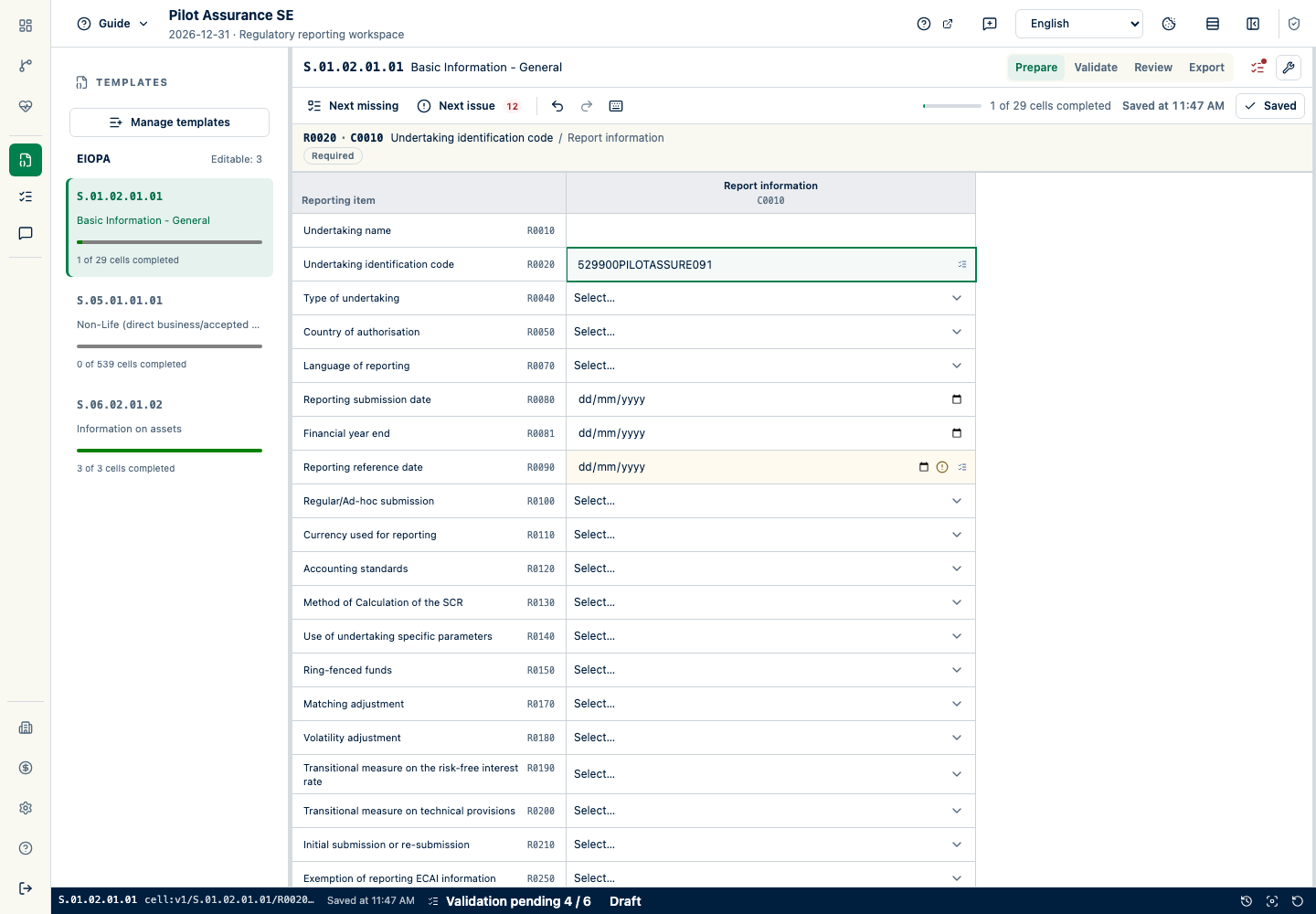
Choose entities, jurisdiction, reporting period, and applicable templates. The required taxonomy release follows its effective dates. The reporting grid keeps the entity, period, jurisdiction, and taxonomy in view as you work. Imported values and manual edits form part of the same filing. Choose the applicable templates, fill in required fields, and check where values came from. Your team decides which templates apply; the software does not determine your legal reporting obligations.
Find the cause of a validation issue
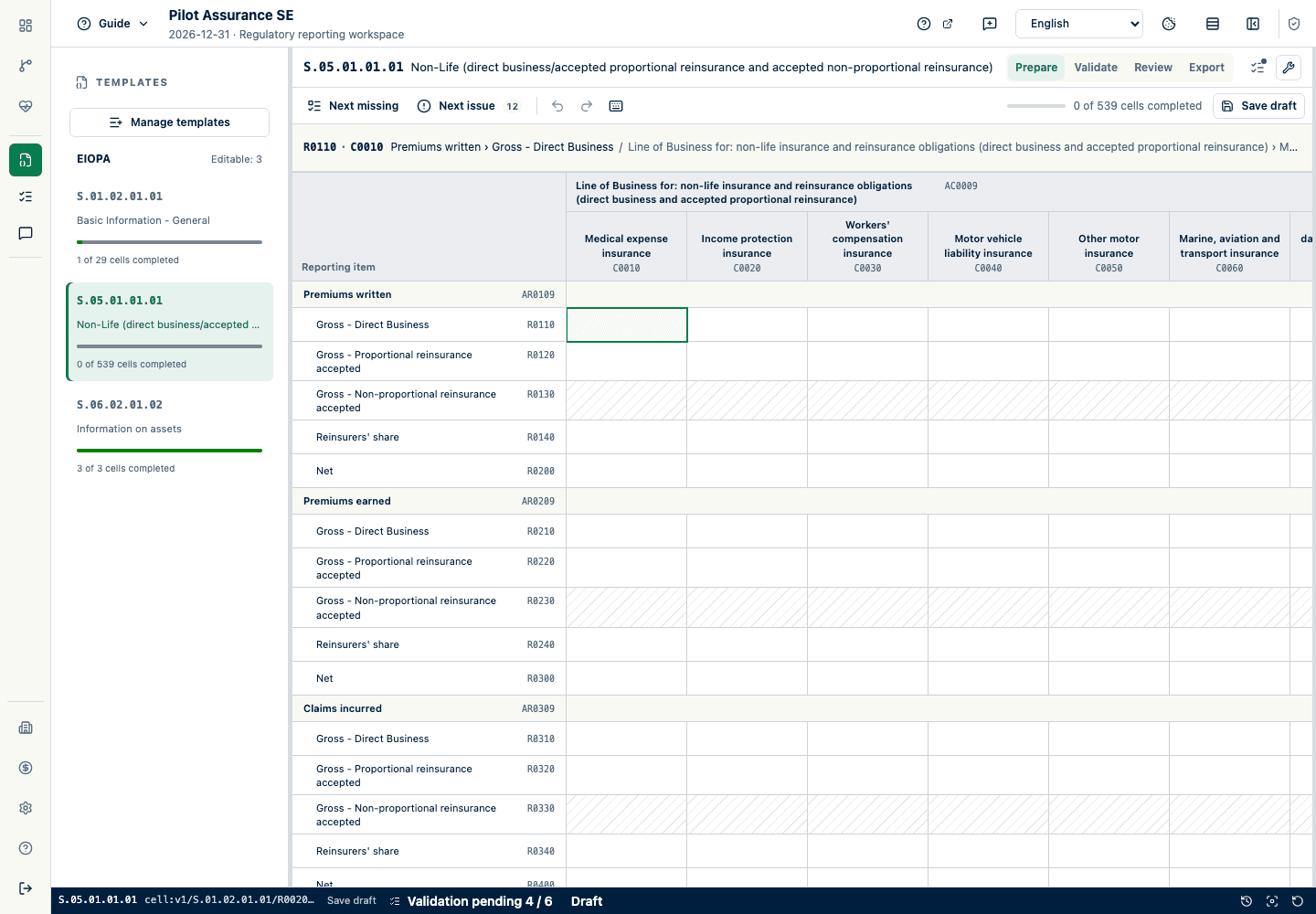
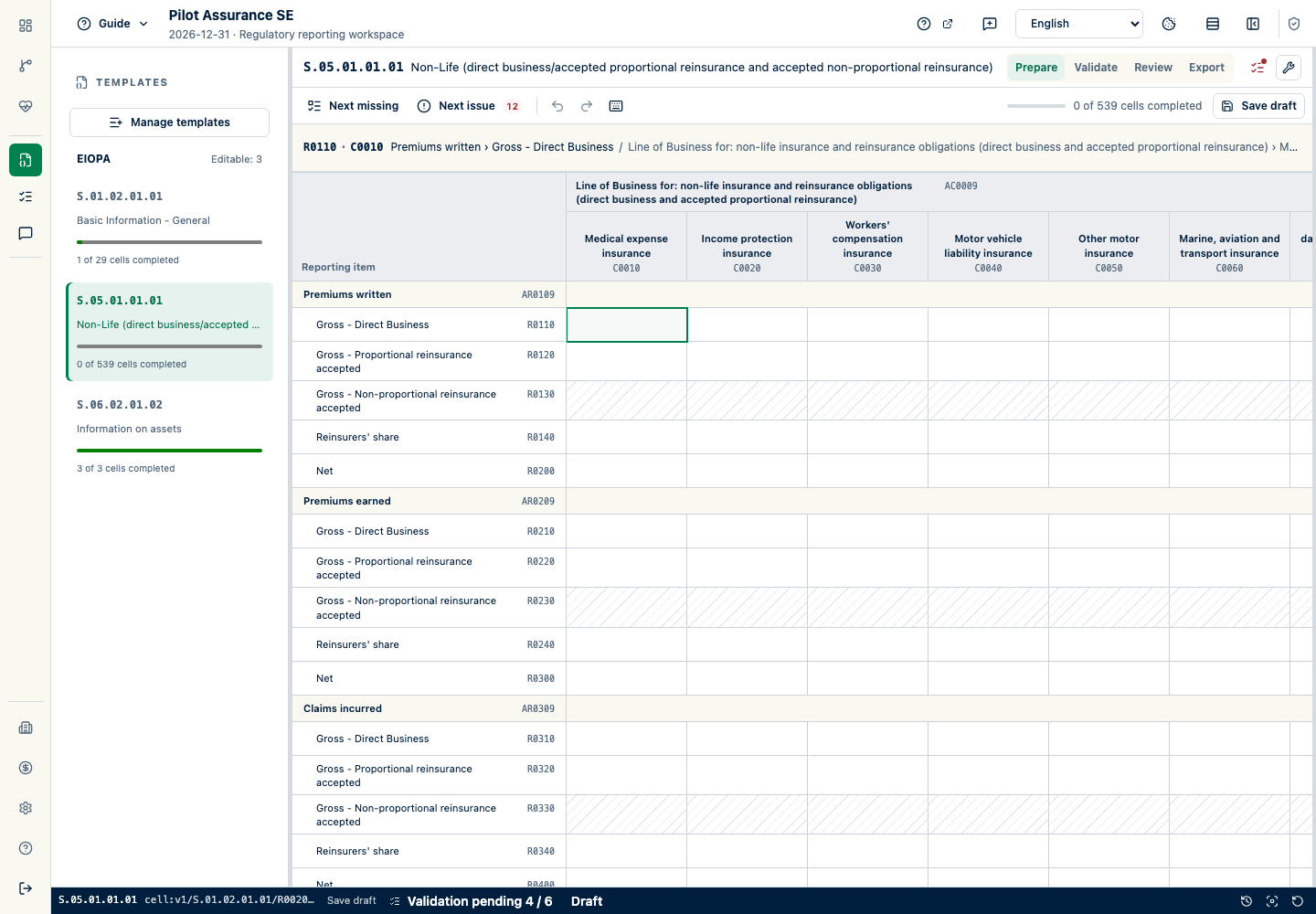
Follow a validation finding to the affected field. Check the value and its source, correct the cause, then run validation again. In this example, a required undertaking identifier is missing, so the finding takes the preparer to the field that needs attention.
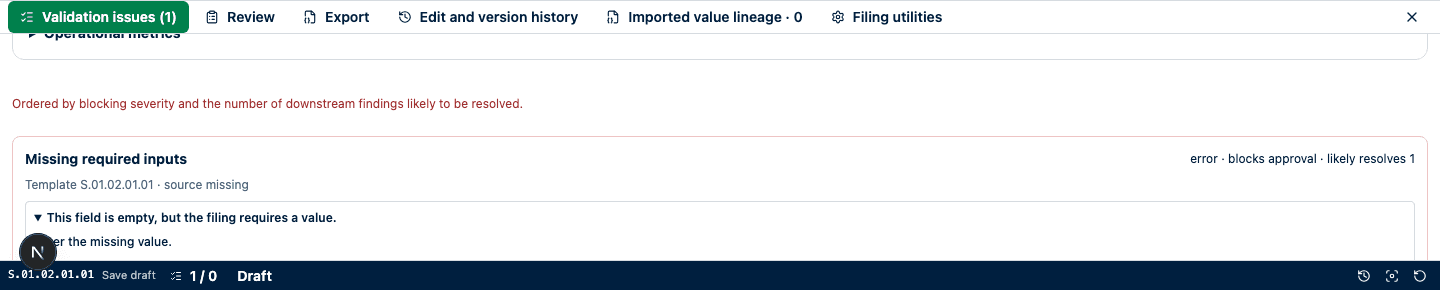
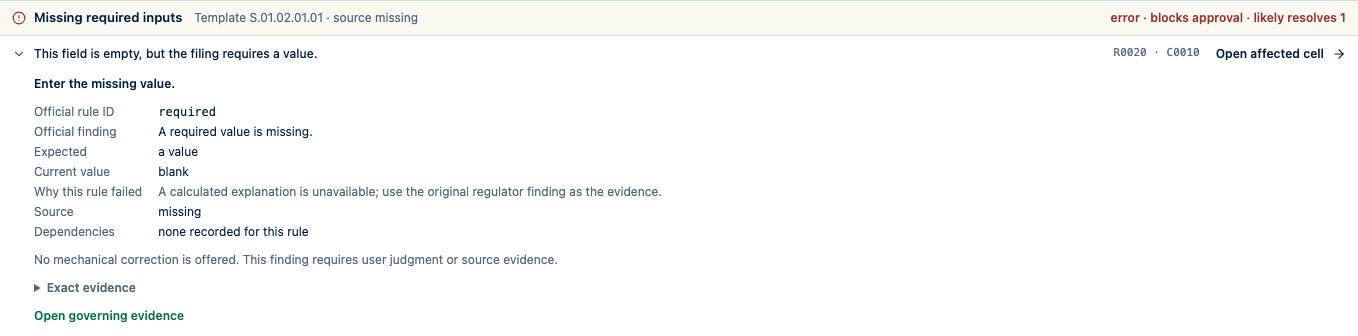
The exception inbox keeps unresolved issues, their owners, comments, and supporting evidence together. For some recurring routine errors, you can preview a correction. Review and explicitly confirm the proposed changes before they are applied and validation runs again. Excluded or waived rules are recorded separately; they do not count as passed checks.
See what changed and what needs review
Compare the current filing with a previous filing for the same entity. See the earlier and current values, the changes in amounts and percentages, and where those changes came from. Your materiality settings determine which movements need attention. Explanations stay linked to the facts and evidence they describe. A period comparison is available only when there is a comparable earlier filing.
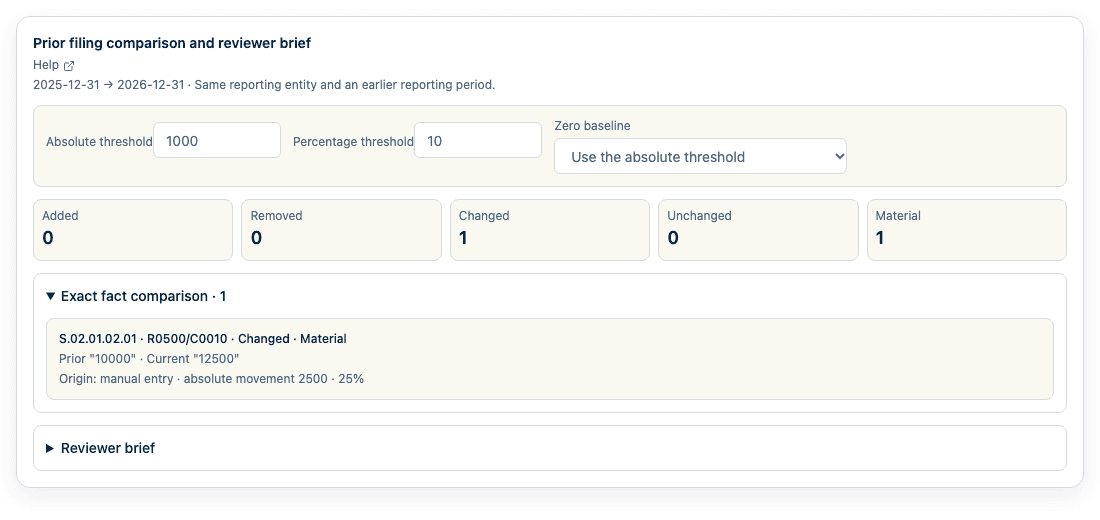
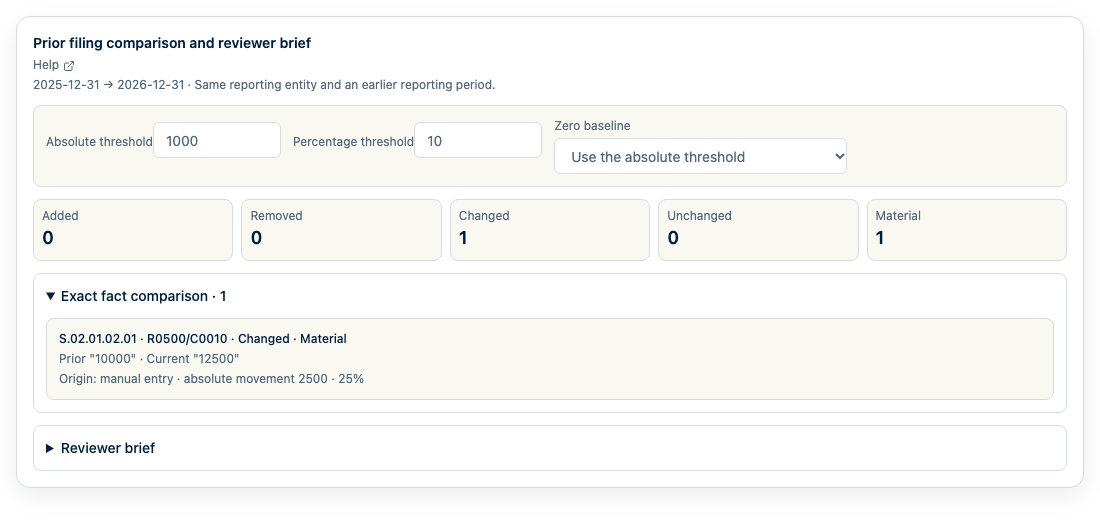
The reviewer brief brings together recorded movements, manual overrides, mapping changes, resolved issues, and remaining blockers. Download a reviewer pack to keep the current supporting evidence together. If the underlying data or decisions change, regenerate the pack to bring it up to date. An empty section means no matching evidence was found; it does not mean the risk is absent.
Keep review moving
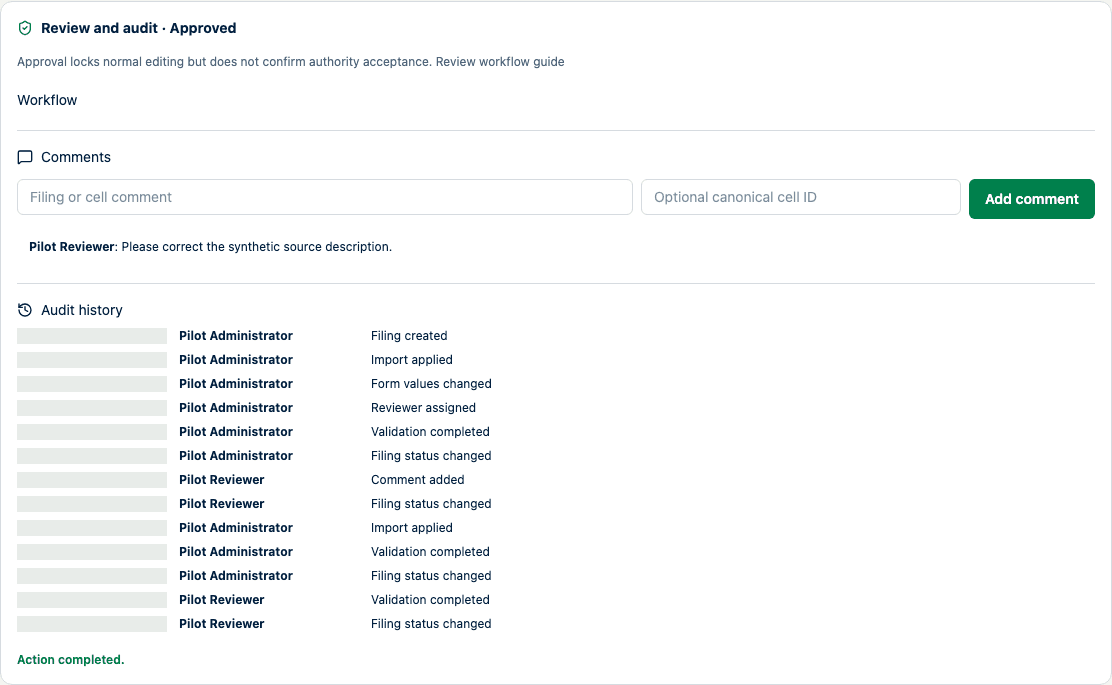
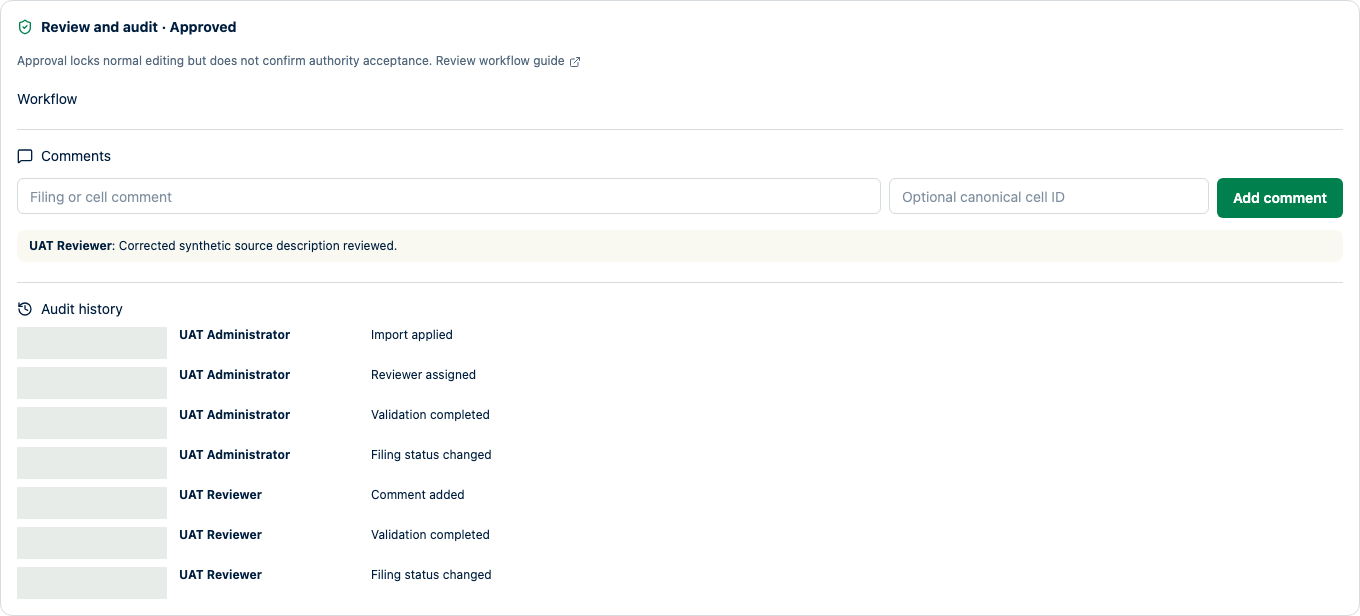
Keep comments and correction requests with the filing. Authorized reviewers approve a specific snapshot of the data, locking it against normal preparation edits. Access rights determine who can review; your organization sets the policy for separating responsibilities. Reopening a filing requires a reason. Earlier exports remain a record of the snapshot they were created from.
Export the approved version of your filing
Before export, readiness checks show what still needs attention: applicable templates, validation, approval, or evidence required by the reporting profile. Supported export files are generated only from the approved snapshot. Their identifiers and history stay with the filing, so your team can tell the current export from an earlier version.
- Approve and export
- Approval and export readiness
- Create controlled exports
- Submitting outside SolvencyBridge
Turn approved data into taxonomy-pinned EIOPA XBRL and supported national artifacts. Portal submission and regulator acceptance remain external.
Coverage is release- and jurisdiction-specific. Check the live coverage catalog for current, future-ready, and limited capabilities before planning a filing.
View technical coverage detailsBuild on your work in the next reporting cycle
Reuse approved mappings and schedule previews for recurring imports. Each run checks the configured source and mapping and flags changes or reconciliation issues. Even a familiar-looking workbook needs review if a column’s meaning has changed. Scheduled runs produce a preview; updating filing values still requires explicit confirmation.
Move to a successor taxonomy without guessing
Carry forward only semantically compatible facts and lineage; keep changed, retired, and new forms in an explicit review queue.
| Data source | How it works |
|---|---|
| File upload | Select a workbook or supported data file, inspect the mapping, and review the proposed filing changes. |
| Scheduled source preview | Configure a read-only PostgreSQL query or customer-controlled watched folder for recurring previews. Review exceptions before applying changes. |
| Ingestion API | Create drafts and import previews, and retrieve findings from your existing workflows. Code examples are maintained for Python, R, Julia, and JavaScript. |
API service accounts cannot apply filing values, approve, lock, export, or submit a filing. An authorized product user reviews and confirms the prepared preview in the workspace.
Ingestion APISee every filing without mixing responsibilities.
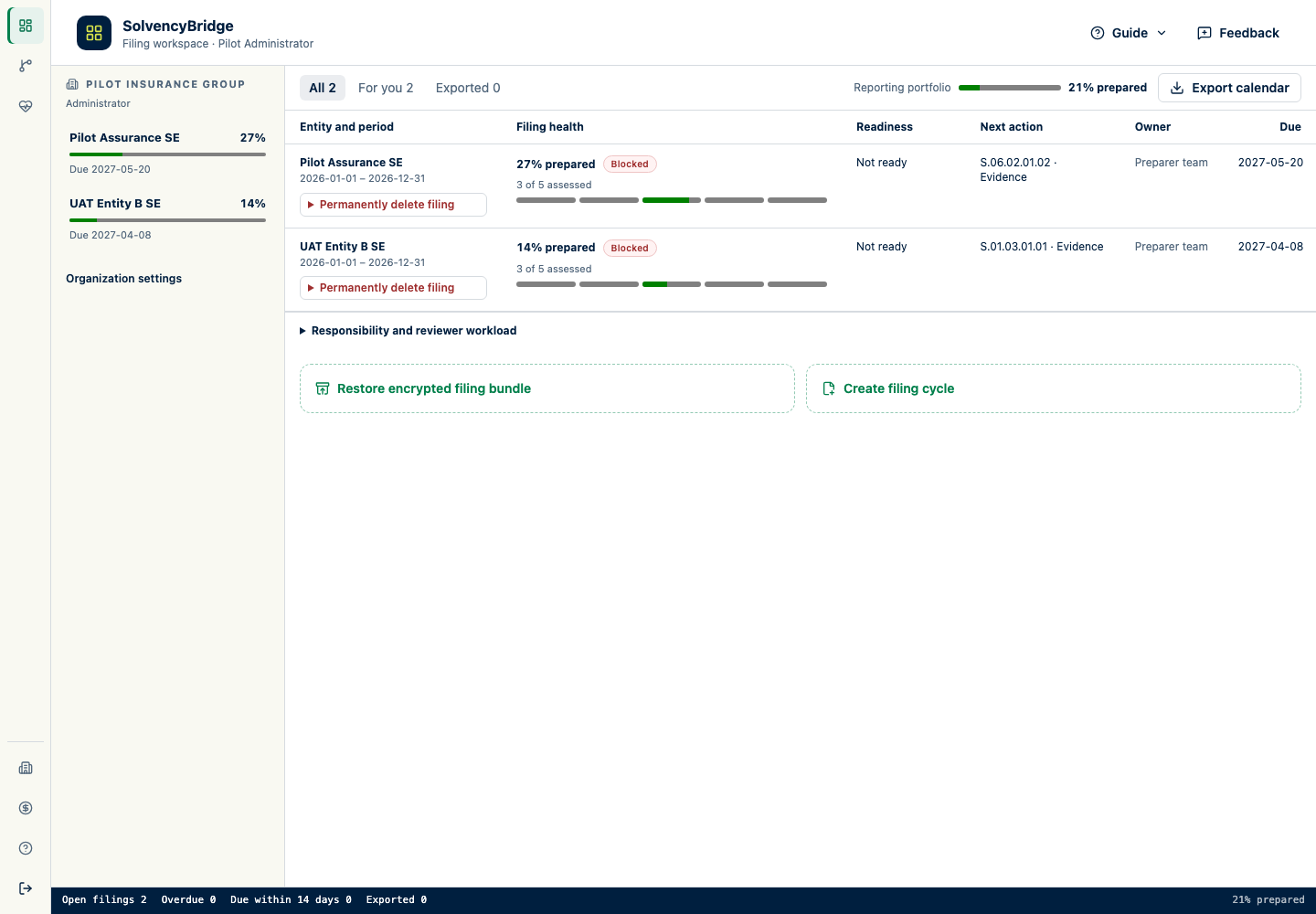
See which filing needs attention, who is responsible, and where a review is pending. Each entity keeps its own filing data and workflow; the portfolio view does not consolidate filings. The number of reporting entities you can manage depends on your plan.
Each entity keeps its own periods, taxonomy selection, applicability, and workflow state. Preparers, reviewers, and administrators work across only the organizations and tables assigned to them.
Pricing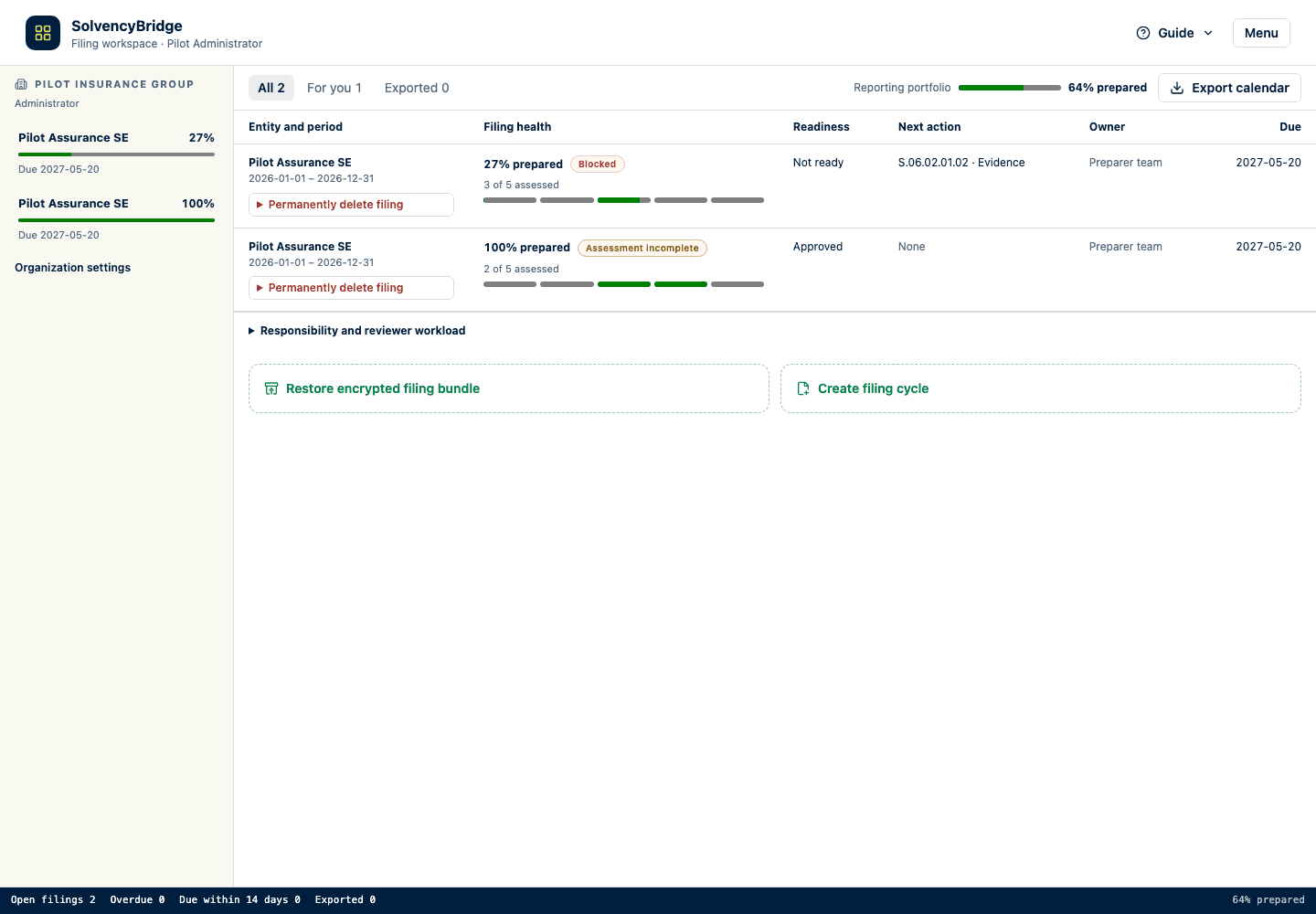
Check asset data against reference sources
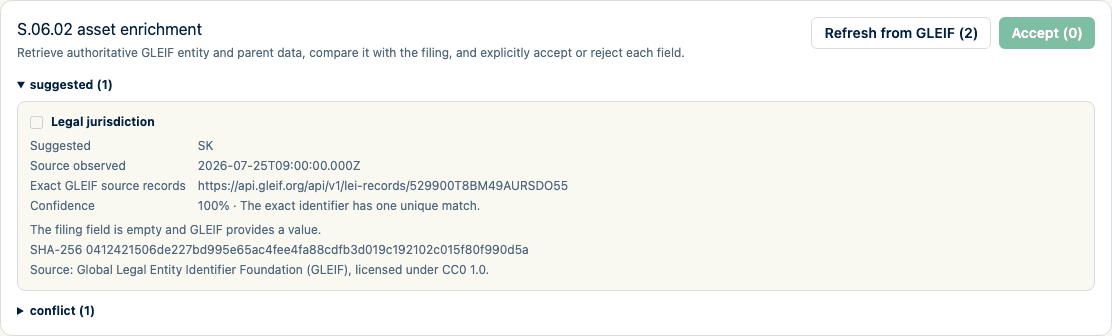
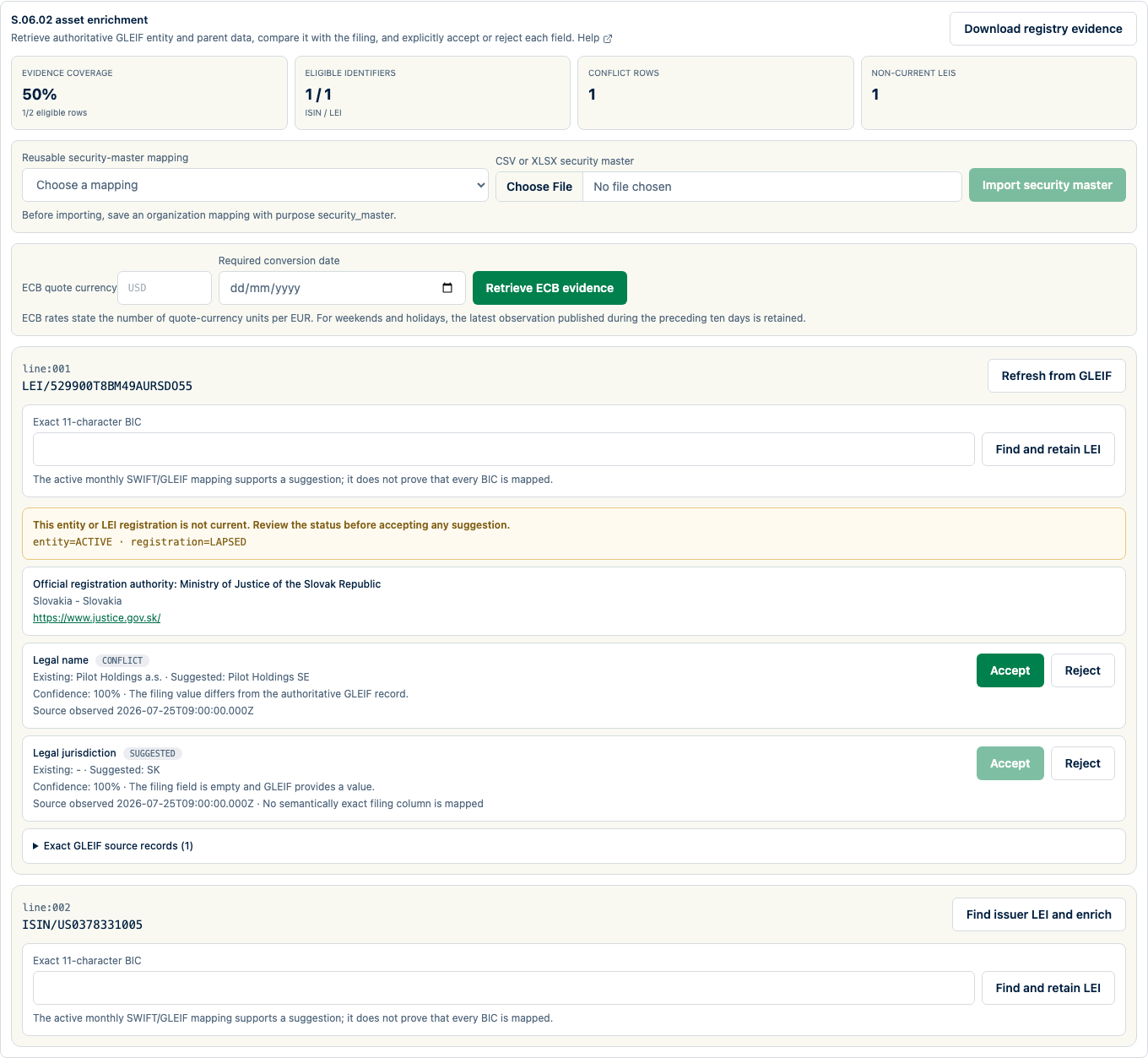
Compare S.06.02 asset records with a mapped customer security master and supported reference sources. GLEIF can provide identity evidence for supported LEI and ISIN lookups; ECB data can provide currency evidence for a requested date. Review existing and suggested values, observation dates, and conflicts before accepting changes.
Use AI for guidance, not unattended filing decisions.
When enabled for an organization, the assistant can explain findings and propose mappings. It does not change filing data automatically, and sharing depends on an explicit mode.
Ask about workflow guidance, validation findings, or import mappings with product and filing context.
AI remains unavailable without provider configuration, organization access, and the required sharing choice. Proposals return to the controlled preview, validation, and approval workflow instead of changing values silently.
Review the AI privacy data flowIRRD recovery planning
Controlled pilot
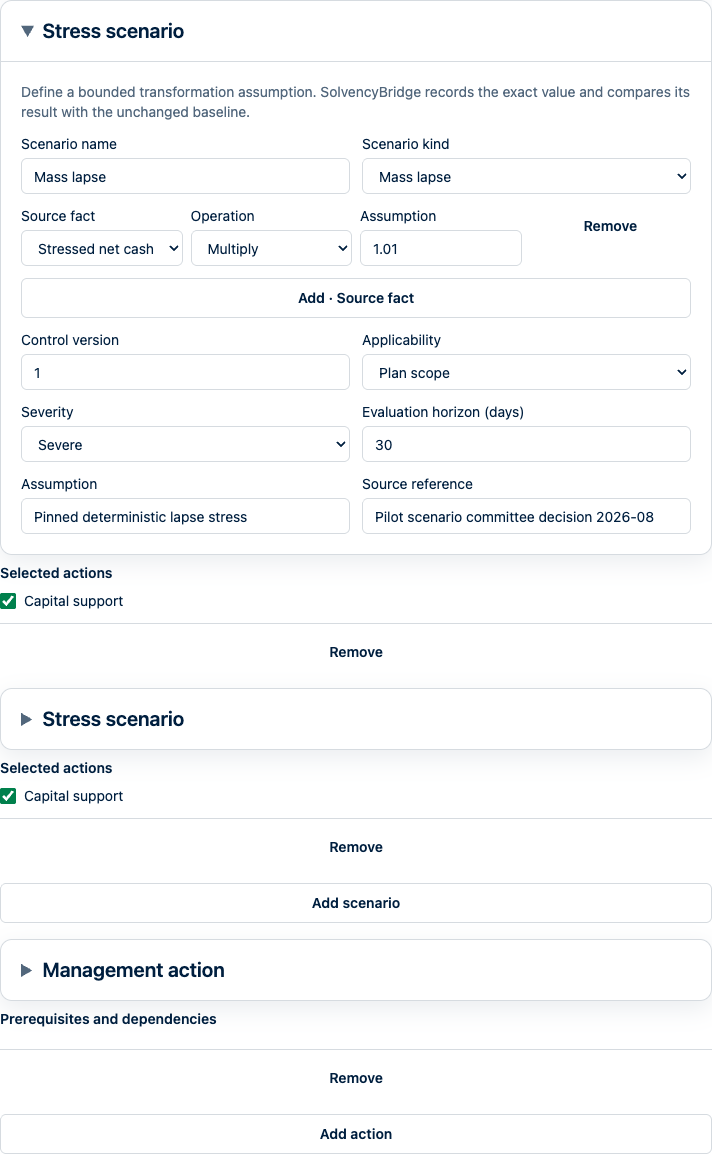
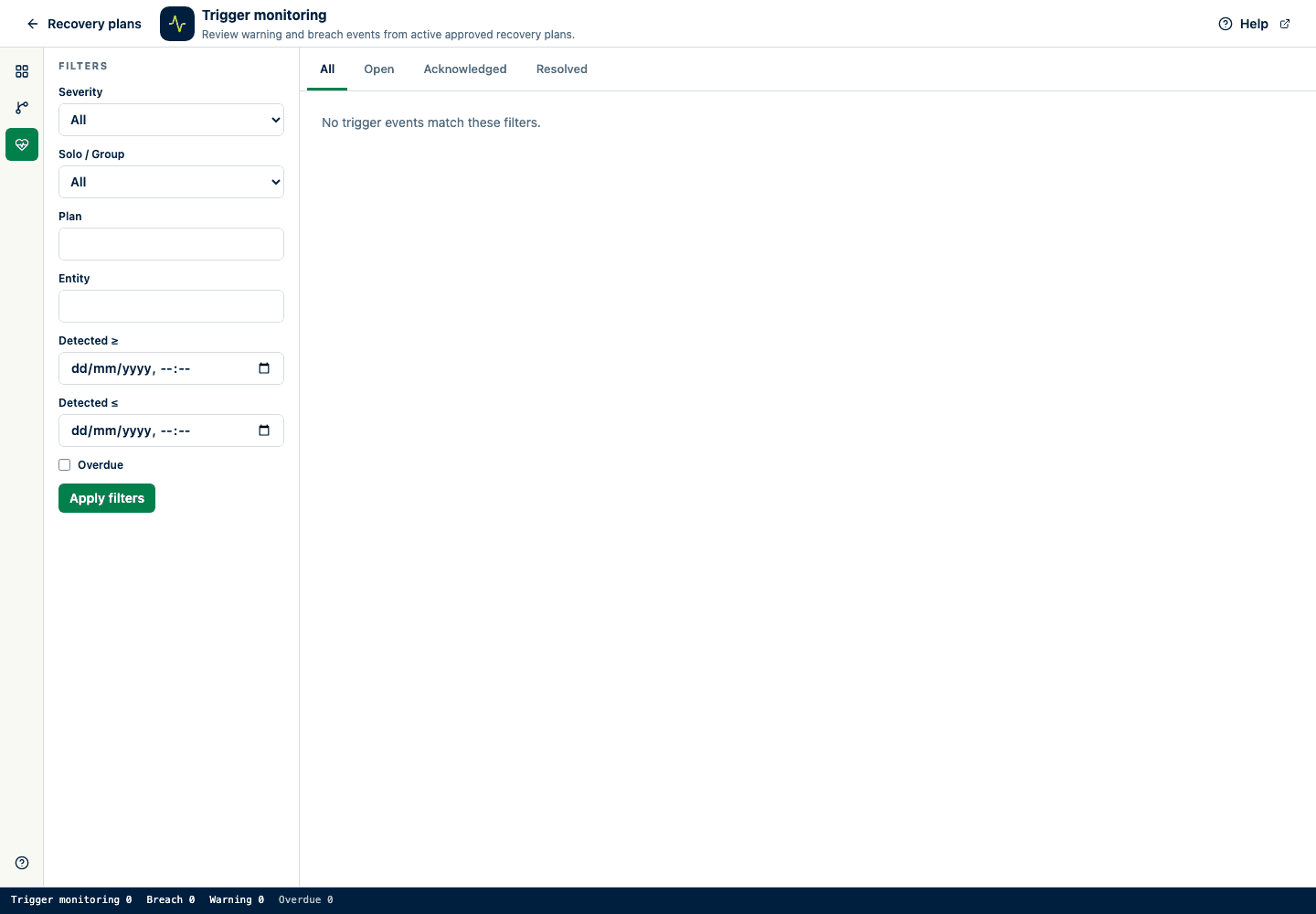
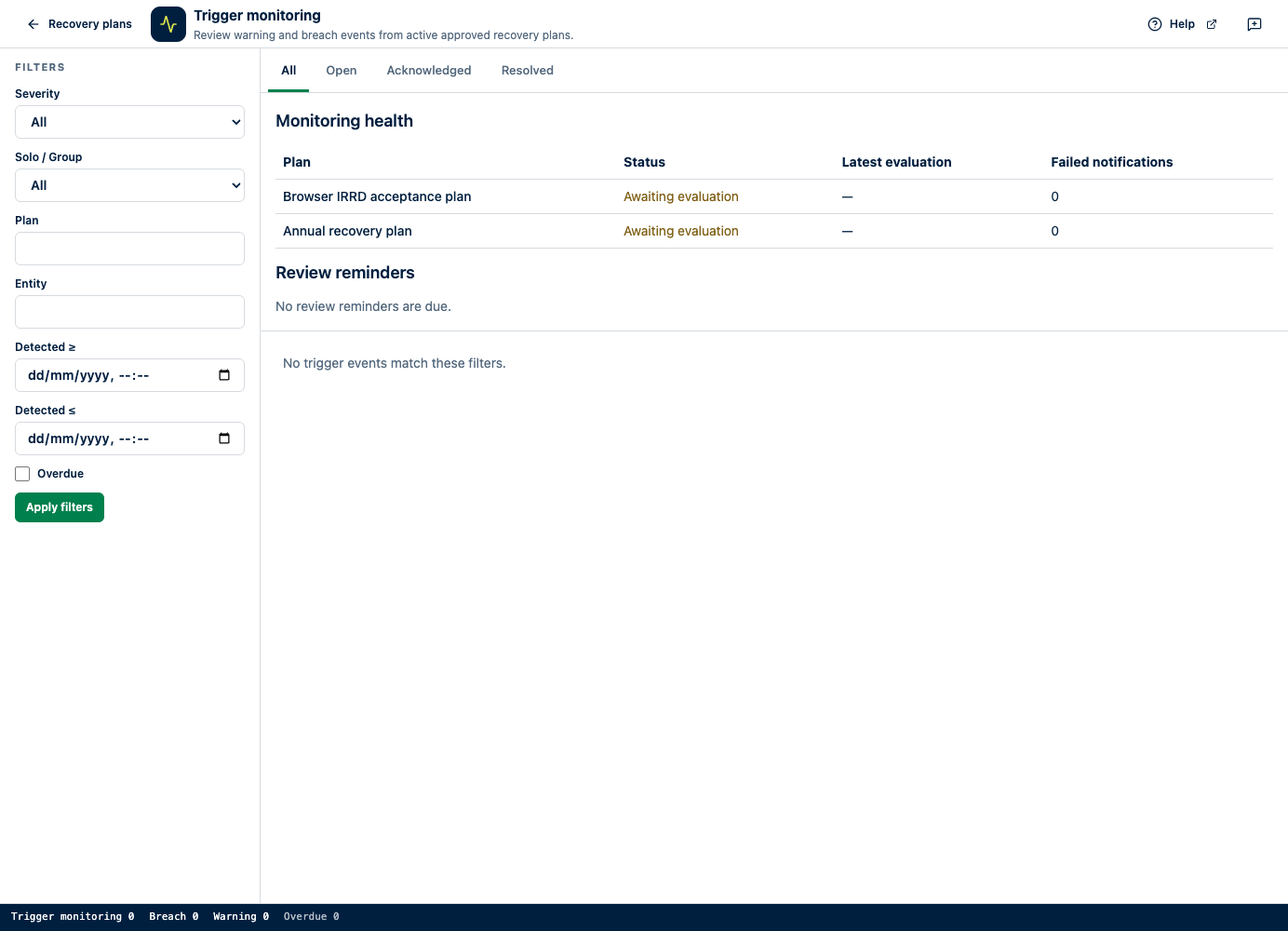
Organizations with access enabled can prepare solo or group recovery plans, linking source evidence, scenarios, and management actions. Review the calculations and whether proposed actions can be carried out, approve a specific plan revision, then monitor the triggers. When you maintain or renew the plan, the next review stays linked to the approved version.
Calculate governed recovery indicators
Use exact source facts, bounded scenarios, confirmed management actions, and insurer-approved warning and breach thresholds. Retain the formula, source facts, observation dates, transformations, regulatory release, guidance version, and checksums behind each result.
Pin the exact plan revision and calculation for independent review, then lock an immutable evidence pack with the approval.
A platform administrator must enable your organization. Thresholds come from your undertaking's governance; calculations labelled SolvencyBridge methodology are not authority-prescribed formulas. The pilot does not establish eligibility, regulatory compliance, or authority acceptance.
EU-baseline planning only. SolvencyBridge does not provide actuarial forecasting, national IRRD transposition overlays, authority submission, or regulator acceptance.
Turn recovery-plan inputs into controlled, reviewable evidence.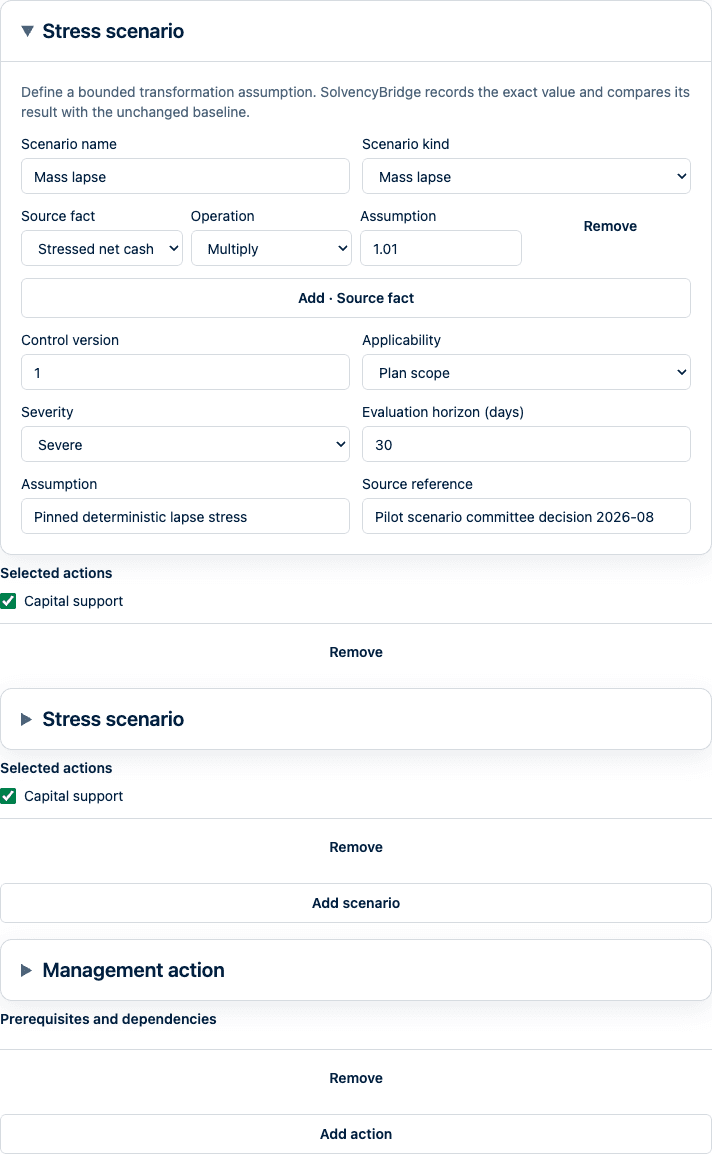
See whether SolvencyBridge fits your reporting needs
Tell us which entities and jurisdictions you report for, which files your team works with, and who prepares and reviews your filings. We can check coverage and plan limits with you, then discuss a trial using a representative reporting cycle. Trial access and timing are agreed after your request.
Encrypted portable filing bundles let you transfer and recover filing data under controlled conditions. Store the passphrase safely: it cannot be recovered if lost. These bundles complement the service’s coordinated backups; they do not replace them. The Trust Centre explains hosting, access, and operational responsibilities.
Request a guided evaluation