Administration
Configure an organization and reporting entity
Create the workspace and record the identity and reporting defaults used by filing cycles.
Who can perform the task
An authenticated user can create their first organization and becomes its administrator. Only administrators can later edit reporting-entity settings.
Operator-provisioned demo accounts are an exception: their organization and synthetic preset already exist, and the demo-only account cannot create another organization.
Before you begin
Have the approved legal or internal organization name, reporting-entity name, identifier and identifier type. For reporting defaults, obtain business type, financial year end, currencies, and approved exchange-rate source descriptions.
Quick path
- Open Administration and create or select the organization.
- Record the organization identity and reporting defaults.
- Add the reporting entity using its verified legal identity and authority identifiers.
- Configure jurisdiction, currency, reporting level, and other approved defaults.
- Save the settings and verify them before creating a filing.
Detailed guidance
- On Filings, use Create your organization when no workspace exists.
- Enter the organization name, reporting-entity name, and identifier.
- Select Create workspace.
- From the organization card, select Reporting settings, or open Organization settings from the authenticated navigation menu.
- Add reporting entities and manage ingestion service accounts on this dedicated administration screen. These durable controls are intentionally kept out of the filing-priority queue.
- Under AI mapping, an organization administrator can enable or disable suggestions for the organization. This saves the organization's opt-in; it does not grant platform approval or configure the external provider. The status tells you when either prerequisite is still missing. Contact support for platform approval or provider configuration. AI mapping remains off until all three conditions are met.
!AI mapping organization setting with platform approval still pending.

- Open the relevant reporting entity, record the identifier type and reporting defaults, then save. The expanded settings use one continuous sheet with dividers between authority lookup, identity, and reporting defaults so the whole record can be scanned without nested panels.
- To add another reporting entity, confirm that the organization still has an available entity allowance under its billing plan.
Expected result
The organization card shows the entity. New filing cycles can use its saved defaults.
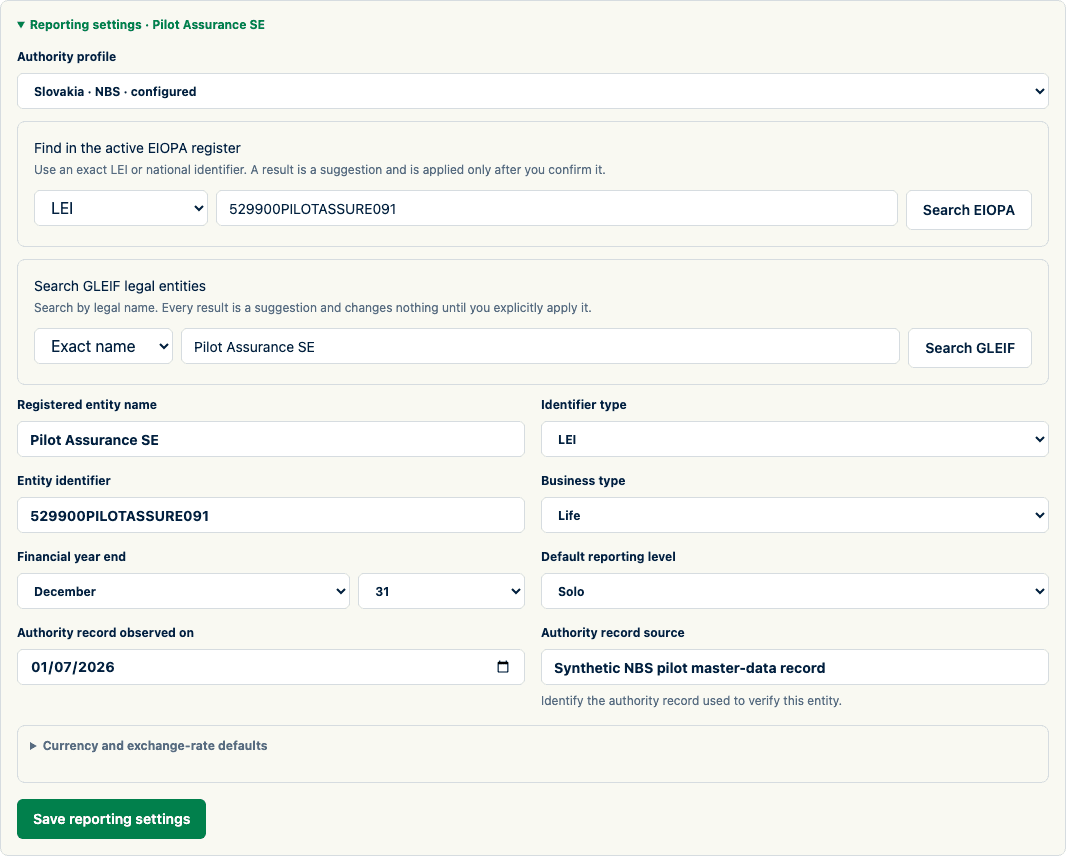
Reusable identity and reporting defaults are configured before filing creation.
An active prospect demo is clearly labelled with its versioned preset and exact expiry so the user can distinguish synthetic evaluation data from a production workspace.

How to verify
Reopen Organization settings and compare every identifier and default with the approved source. A saved default does not retroactively change an existing filing.
For AI mapping, reopen Organization settings and check the AI mapping status. When available, open a mapping draft: the AI suggestion controls are shown. If the organization opt-in is off, the draft points an administrator to this setting. A platform approval or provider configuration message means the organization setting alone cannot make AI available.
Common problems
- If reporting settings contain an invalid value, the affected field shows a message and receives focus. Correct it and save again. Entered values remain available after a failed save; a successful save is confirmed in the form.
- While settings are saving, wait for the result before changing the authority profile or applying another lookup result. This keeps the saved identity and its source evidence together.
- A banner identifies a demo workspace and its expiry. At expiry, access stops immediately and the page explains how to request an extension. The demo data remains preserved until an operator extends or removes the workspace.
- If the organization already exists, do not create a duplicate. Ask its administrator to add your account.
- If the entity identifier is uncertain, stop and resolve it before creating a filing.
- If the entity allowance is exhausted, creation and restore into that organization are refused. An administrator must move to a plan with a larger allowance or contact the operator about a Private Cloud allowance.
Audit and data consequences
Entity identity affects filing contexts and supported exports. Correct mistakes before filing creation where possible; later corrections may require recreating or formally reopening affected filings.
Product and regulatory limitations
SolvencyBridge does not verify an entered identifier against an authority register. Your organization owns that verification. Core includes two reporting entities and Group includes five. Private Cloud uses the entity allowance recorded for the annual contract.