Start here
Use the guided tours
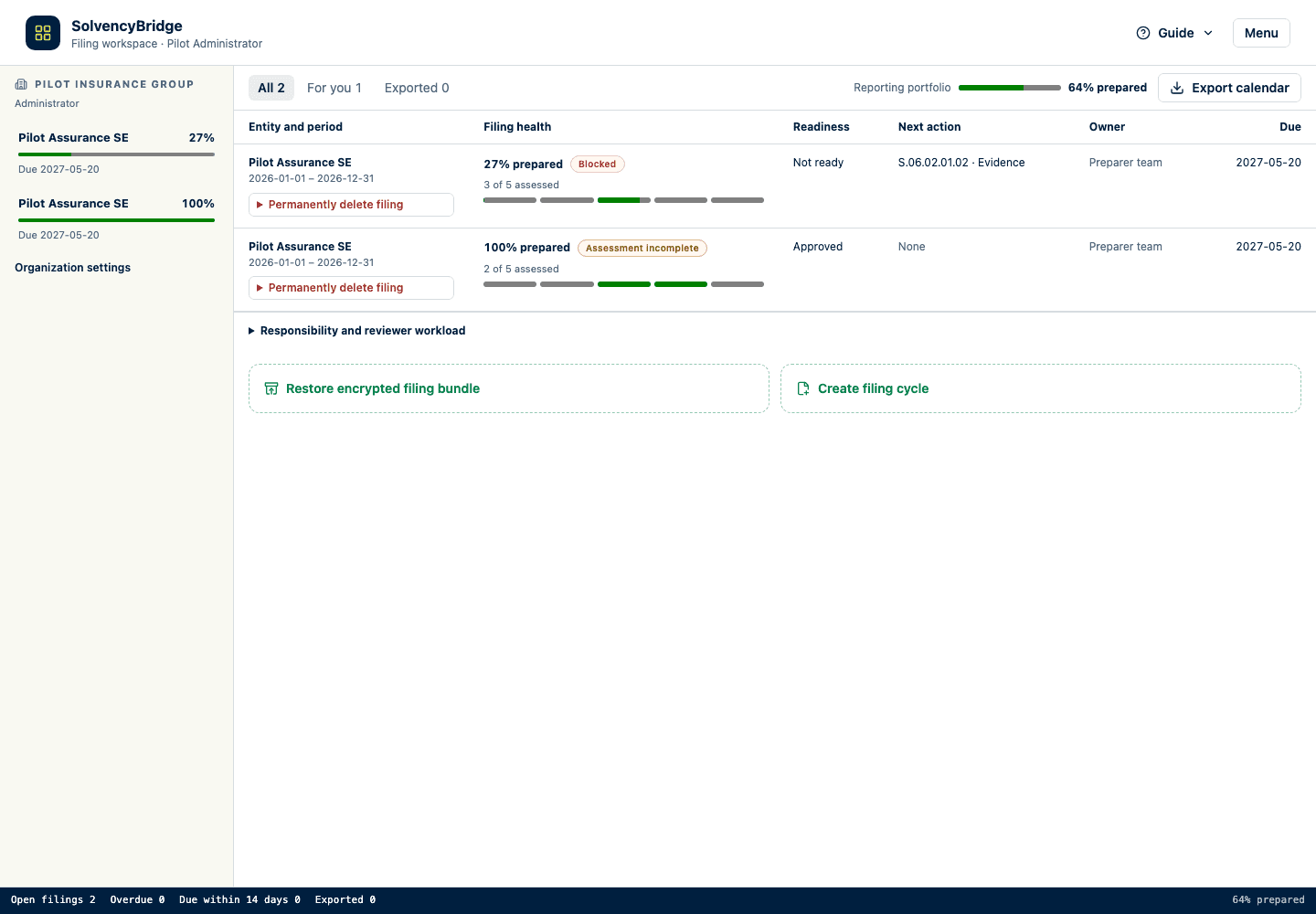
Learn the portfolio, filing, billing, and administration screens with localized, restartable walkthroughs.
Quick path
- Open Filings, a filing, Billing, or Administration.
- Select Guide in the page header.
- Choose the overview or task-specific tour that matches your goal.
- Use Next and Back to inspect the available controls.
- Select Done, close the tour, or press Escape when finished.
Who can use the tours
Every signed-in user can use the portfolio, filing, and billing tours. System administrators can also use the administration tour. The available steps adapt to the screen and controls that the user’s role and current filing state can see.
Start or restart a tour
- Open Filings, an individual filing, Billing, or Administration.
- On a desktop first visit to a main screen, its overview tour starts automatically once the screen is ready. Tours do not auto-start on narrow screens, where they could cover the current action or feedback. Optional task-specific tours do not auto-start at any size.
- Use Next and Back to move through the available controls.
- Select Done, close the popover, or press Escape to leave the tour.
- Select Guide in the page header whenever you want to run an overview or task-specific tour again.
The browser remembers that a version of each tour has been seen. Clearing local browser storage can make it open automatically again; it does not change filing data or audit history.
Language
Tour titles, explanations, progress, and buttons use the active interface language. If you change the language in the filing header and restart Guide, the new tour is built in that language. The tour never changes your language selection.
What the portfolio tour covers
The portfolio overview explains portable-bundle restore, deadline reminders, organizations, and filing cycles. Organization administrators also receive an optional setup guide for least-privilege ingestion service accounts, reporting entity settings, and filing-cycle creation. Users without those controls do not see that guide.
What the filing tour covers
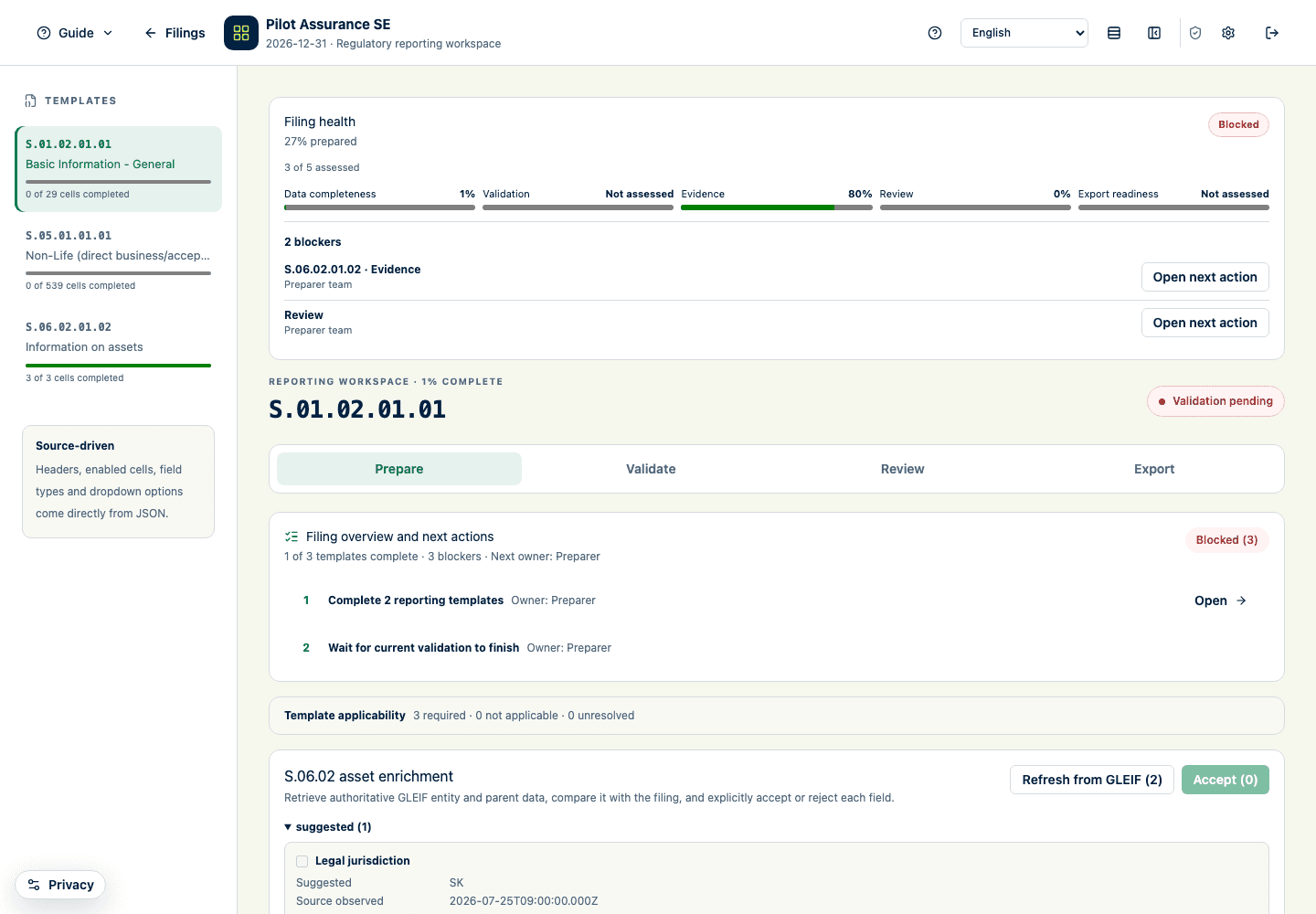
The filing overview explains header controls, template navigation, ordered next actions, and the Prepare, Validate, Review, and Export task phases. Reviewers open directly in Review; their first phase is labelled Data rather than Prepare. The Applicability guide opens preparation before covering applicability, import, validation status, and the selected reporting table or national form. The Review workflow guide opens review and covers the review controls and evidence attachments. The Export guide opens export readiness and export evidence. A step is skipped when its target is not available because of filing state, role, jurisdiction, or screen content.
What the billing and administration tours cover
The billing tour explains organization selection, billing details and plan settings, and billing documents. Read-only billing users see the same locations without gaining permission to change them.
The administration tour is available only to system administrators. It covers local storage and redacted diagnostics, assistant and billing operations, public-data snapshots, draft-definition upload, and stored draft definitions.
Expected result
You can identify the main controls and restart the relevant tour without changing any regulatory-reporting data.
Product and regulatory limitations
The tours explain where product controls are located. They do not determine template applicability, validate business correctness, replace your organization’s procedures, or provide regulatory advice.