Start here
Request a guided evaluation
Request a guided evaluation without sharing filing data or activating a trial.
Use the public guided evaluation page to discuss your reporting needs before creating an organization.
Request a guided evaluation
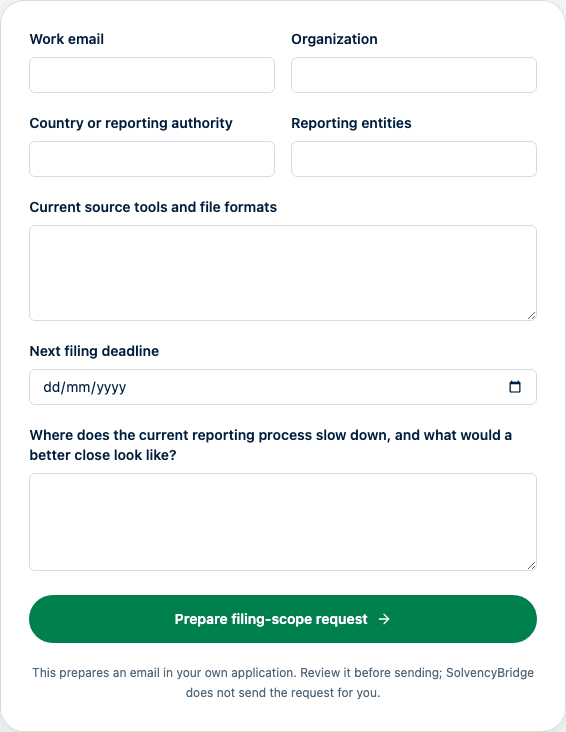
Select Request a guided evaluation in the navigation, calendar or reporting guide. Enter your Work email, Organization and Country or reporting authority. The optional Evaluation topic offers data import, validation, reviewer coordination, export or unsure. Detailed filing information is discussed in the subsequent email conversation.
We first confirm supported scope and demonstrate the relevant workflow. Where appropriate, we then agree a free 14-day trial with a named owner and success criterion. Sending this form does not activate a trial or schedule a meeting. Check product coverage for the relevant authority, templates and taxonomy. Supported EIOPA workflows do not establish support for every national filing.
Pricing links retain the explicit trial request and selected-plan context. Paid subscriptions remain invoiced; no payment card is required. Agree scope, access, start date and trial terms by email before starting.
Submitting sends the details to the fixed SolvencyBridge contact inbox through the existing email provider. A sent confirmation means provider acceptance, not verified inbox receipt or a qualified conversation. The form provides immediate pending feedback and prevents duplicate submission. Spam and repeated requests do not count as newly sent enquiries. It does not create a separate lead database or send an automatic acknowledgement. After a validation or delivery error, entered values and the optional topic remain available for retry; a delivery failure also shows the contact email as a fallback.
When a Calendly event is configured, Book a 30-minute scoping call opens a separately hosted Calendly booking page in a new tab. SolvencyBridge does not embed the scheduler, pass the questionnaire values to Calendly, or claim a booking from a link click. The booking page and notifications are currently in English.
Do not include filing values, credentials, personal data, confidential attachments, or production evidence in the first request. Agree an approved exchange route before sharing customer material.
See the reporting workflow
The Pillar 3 reporting page links from its introduction to From source data to a reviewed export. The four steps show import preview, validation findings, approval and locking, and export generation using synthetic English product screenshots. Each step links to its help article. The illustrated reference ZIP is not a submission package.
Use a practical reporting article
The resources area links to reporting guides and published campaign articles. Campaign articles are in English and their links identify that language. They include source references and may include a downloadable preparation asset.
When an article includes a YouTube video, the player connects to YouTube only after you select Load YouTube video. Watch on YouTube provides an external alternative; the article remains usable without video playback. AI-generated narration is identified beside the player. For a wide comparison table, use Tab to focus its scroll area, then use the arrow keys to read additional columns.
If you open the evaluation form from an article, the request includes that article's campaign identifier alongside the page source. This helps us understand which explanation led to the conversation. It does not establish product fit, qualification or a completed booking. Optional analytics still follow the existing consent choice.
Scope a multi-entity pilot
SolvencyBridge can keep several reporting entities and their filing cycles in one organization while preserving separate filing data, workflow state, deadlines, access, and exports. Review the multi-entity reporting workflow before selecting the smallest representative scope for an evaluation. The selected commercial plan limits the number of reporting entities.
For a useful pilot, name the smallest representative set of entities, periods, templates, import formats, roles, validation evidence, and export outputs. A pilot covers only supported product workflows. It is not an authority submission, receipt, acceptance test, or regulatory approval.
Follow a resource to an evaluation
Calendar and guide walkthrough links retain the originating resource in the URL. The walkthrough’s evaluation invitation records its immediate source separately. These bounded source labels may accompany the enquiry email; they do not contain filing values or establish a qualified lead. Optional analytics follow your consent choice and never include form contents. A request to load a video is not proof of viewing or completion.