Start here
Understand the filing lifecycle
Follow a filing from draft through review, correction, approval, locking, and export.
Who should read this
Anyone handing a filing from preparation to review or export.
Lifecycle
- Draft: preparers configure applicability, import or enter values, attach evidence, and resolve findings.
- Ready for review: a preparer assigns a reviewer and submits the filing. Preparation controls are restricted while review is active.
- Changes requested: the reviewer records a reason. Preparers correct the filing and submit it again.
- Approved: approval locks filing values against normal editing.
- Exported: at least one artifact has been generated from the approved snapshot.
Inside a filing, What happens next orders unresolved applicability, template, validation, review, and export work. It also identifies the next owner and opens the exact control. On Filings, the operational overview and deadline summary identify which filing needs attention across entities and periods.
Expected result
The status shown in Review and audit matches the team’s current responsibility and the audit history explains every transition.
How to verify
Check the status badge, assigned reviewer, ordered next action, comments, validation summary, and audit events before taking the next action. For review, also inspect the prior-period comparison and evidence-grounded reviewer brief.
Common problems
- Submit for review is disabled: assign a reviewer first.
- Approve and lock is unavailable: sign in as the assigned reviewer or administrator and confirm review table access.
- Values cannot be edited: approved and exported filings are locked. An administrator must reopen with a reason if correction is authorized.
Audit, locking, and data consequences
Requesting changes preserves the review history. Approval is a high-risk action because it locks the filing. Reopening an approved or exported filing creates an attributable audit event and may make existing exports stale relative to the reopened filing.
Moving to a new taxonomy release
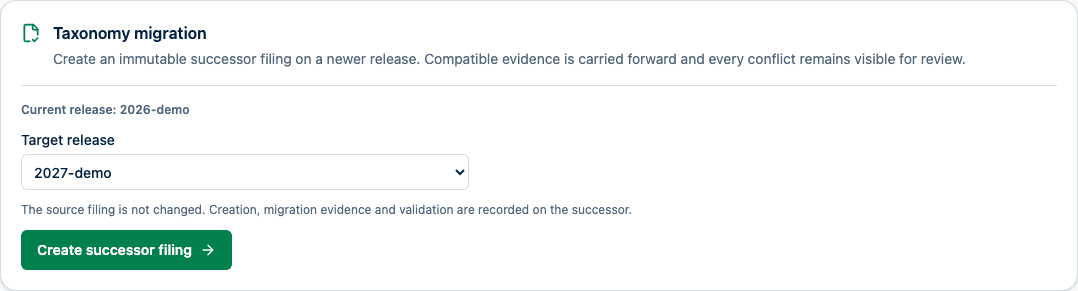
For an EIOPA filing, an administrator or reviewer opens Export, then Taxonomy migration in the source filing, selects an installed newer release, and chooses Create successor filing. The control lists only newer releases from the same taxonomy family and is disabled while creation and target-taxonomy validation run. If creation fails, the chosen release remains selected so the action can be retried. A successful creation opens the new filing and shows its migration percentage, form and mapping conflicts, migrated evidence counts, validation outcome, checksums, engine version, and unresolved review items.
A taxonomy migration creates a new draft successor and leaves the source filing unchanged. The successor can retain the source reporting cycle without being rejected as a duplicate of the source. A second successor for the same reporting cycle and target release remains blocked. SolvencyBridge carries a value, import-lineage record, movement explanation, or mapping target forward only when its row, column, data type, metric, and dimensional semantics remain compatible. Removed or changed facts are listed as unresolved review items instead of being copied silently. National forms with a separately pinned definition version remain attached when only the EIOPA taxonomy release changes.
Existing applicability decisions and override reasons are retained for common templates. Retired decisions are recorded in the migration evidence, while new templates require a fresh applicability decision. The successor records source and target taxonomy checksums, migration version, form and mapping results, omitted evidence, validation state, and the final reviewer decision. A passing validation result does not approve the migration.
Product and regulatory limitations
Approval confirms only the organization’s product workflow decision. It does not certify regulatory correctness or authority acceptance.